Never miss your stop again.
Pick your stop, put your phone away. NearStop watches the distance and wakes you just before you arrive, even with the screen off and the phone on silent.
Three taps, then relax.
No timetables to learn and no guessing. NearStop measures how far you are from your stop and rings at the right moment.
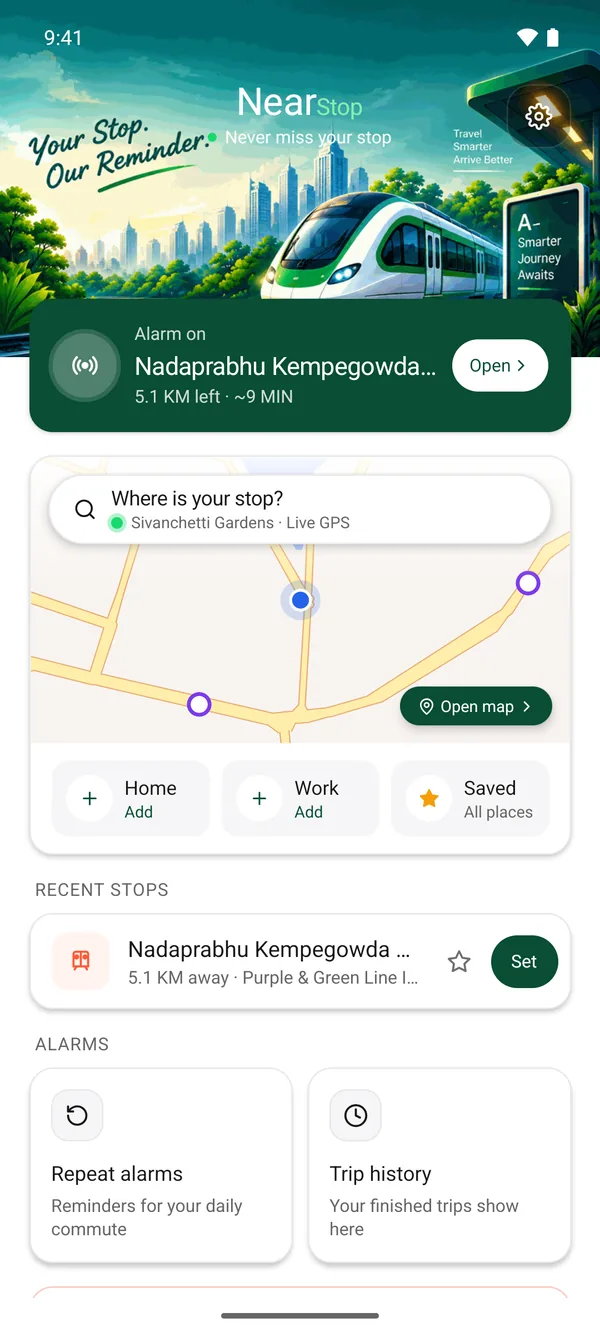
Pick your stop
Search a station, or tap one on the map. Shared Google Maps places work too.
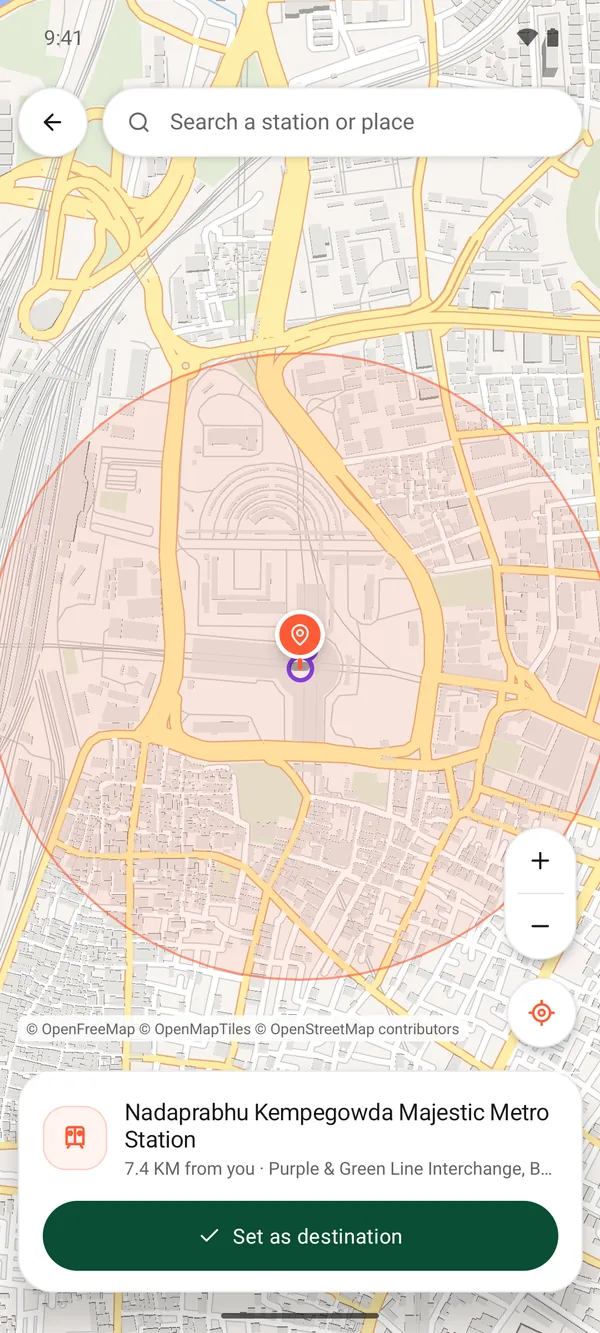
Choose when to wake
200 m, 500 m or 1 km before the stop. NearStop shows how much warning that gives you.
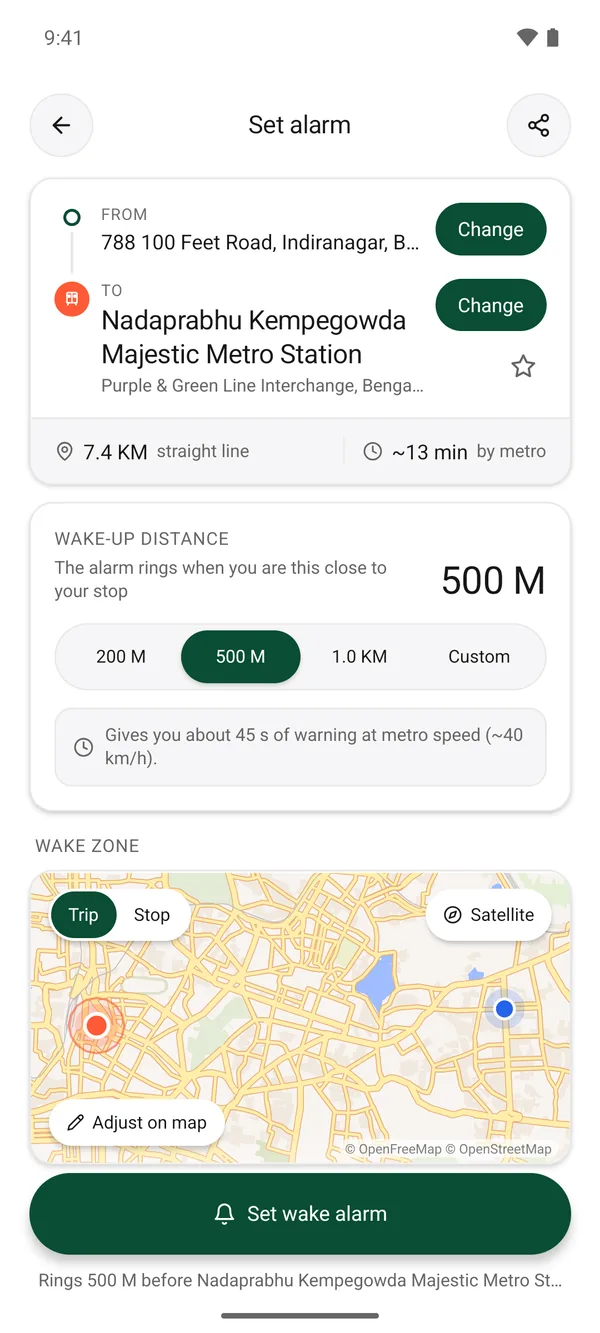
Put your phone away
Sleep, read or listen to music. It rings as you get close, over the lock screen.
The details that get you off at the right stop.
Quiet for others, loud for you
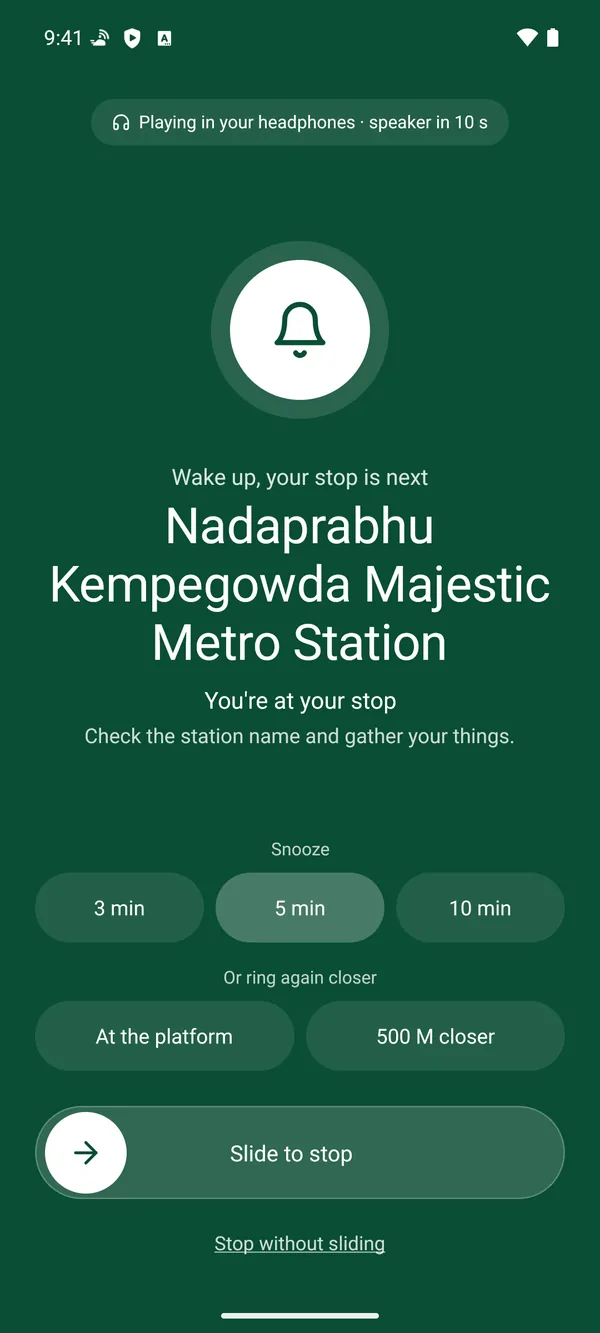
Rings in your headphones first. If you don't respond, it moves to the speaker a few seconds later.
Screen off? Still rings
A full-screen alarm lights up your phone over the lock screen, on silent or Do Not Disturb.
Underground mode
Lost GPS in a tunnel? A backup timer and station counting keep the alarm on schedule.
Snooze or ring closer
Snooze for 3, 5 or 10 minutes, or ask it to ring again at the platform.
Repeat alarms
Set your daily commute once. NearStop reminds you on the days and time you choose.
Private by design
Location is used only during a trip and stays on your phone. No sign-up needed.
Always know how far you are.
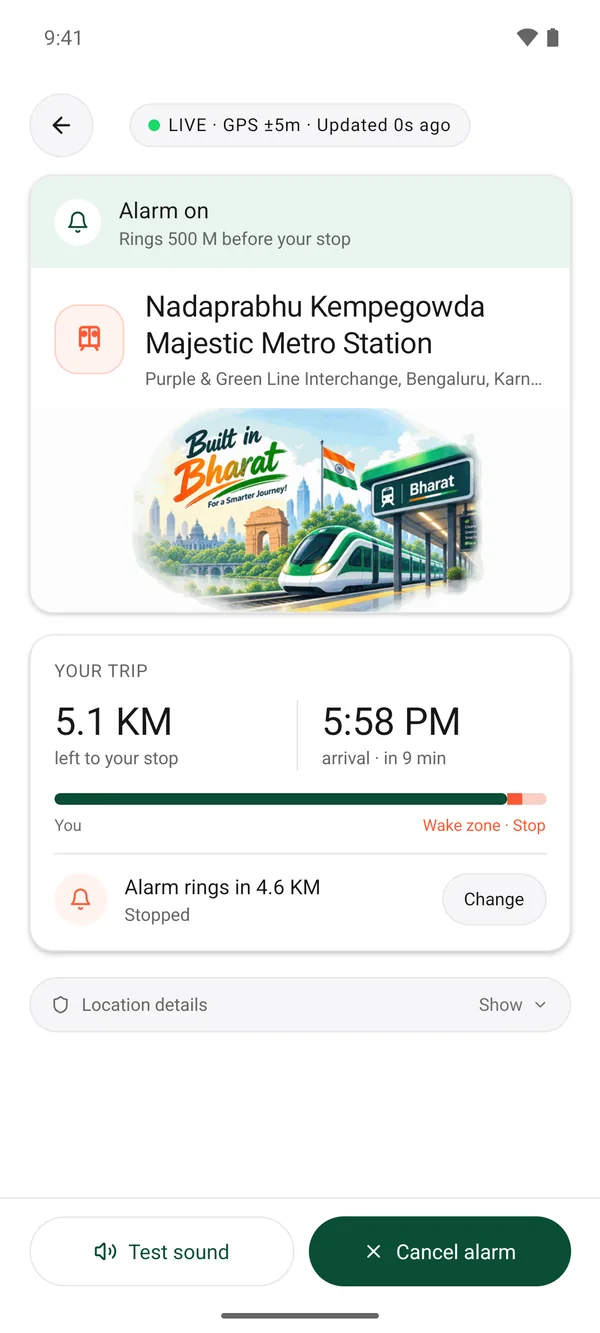
A calm live screen shows the distance left, your arrival time and exactly when the alarm will ring.
- Distance and arrival time, updated every second
- Change the wake distance mid-trip
- Test the sound before you nod off
Good to know
Does it work with the screen off?
Yes. During a trip NearStop runs as a visible notification and wakes you with a full-screen alarm over the lock screen. Allow notifications and the full-screen alarm when the app asks.
Will it drain my battery?
Tracking only runs while an alarm is set, and checks less often while you're far from your stop. It stops as soon as the alarm rings or you cancel it.
What about tunnels and underground metro?
When GPS drops, a backup timer based on your trip keeps the alarm on time, and NearStop counts station stops where it can.
Do I need an account?
No. There's no sign-up. Your saved places, trips and settings stay on your phone.
What happens to my location?
It's used only during a trip to measure the distance to your stop, and it's never sold or kept as a history. Read the privacy policy.
Ride easy. We'll wake you.
Free on Android. Set your first alarm in under a minute.
Get it on Google Play